
Go to Settings >> Configuration >> Normalization Policies.
Click Add .
Enter a Policy Name.
Select the Compiled Normalizer for Barracuda.
Click Submit.
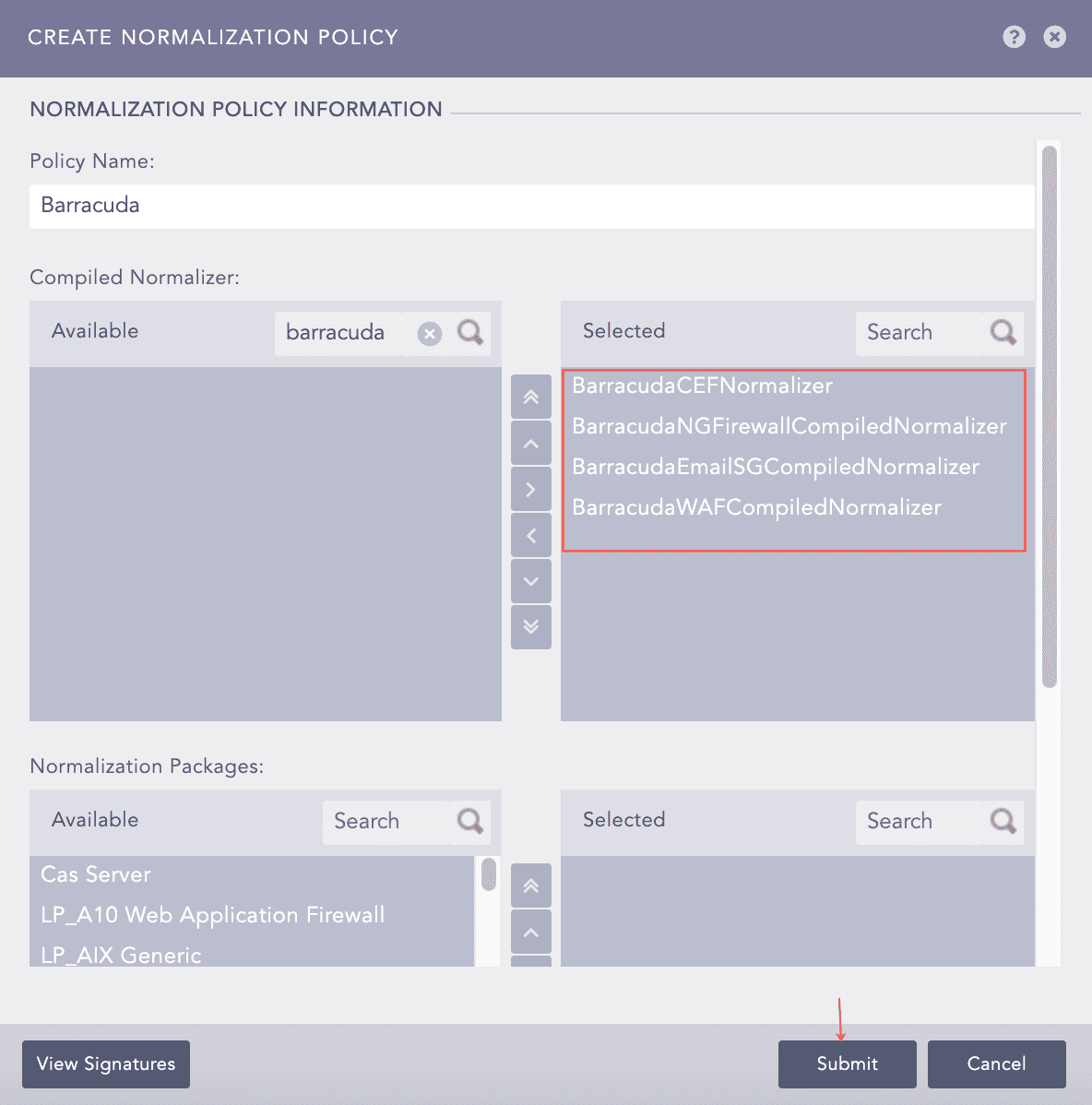
Selecting Compiled Normalizer
Go to Settings >> Configuration >> Devices.
Click Add.
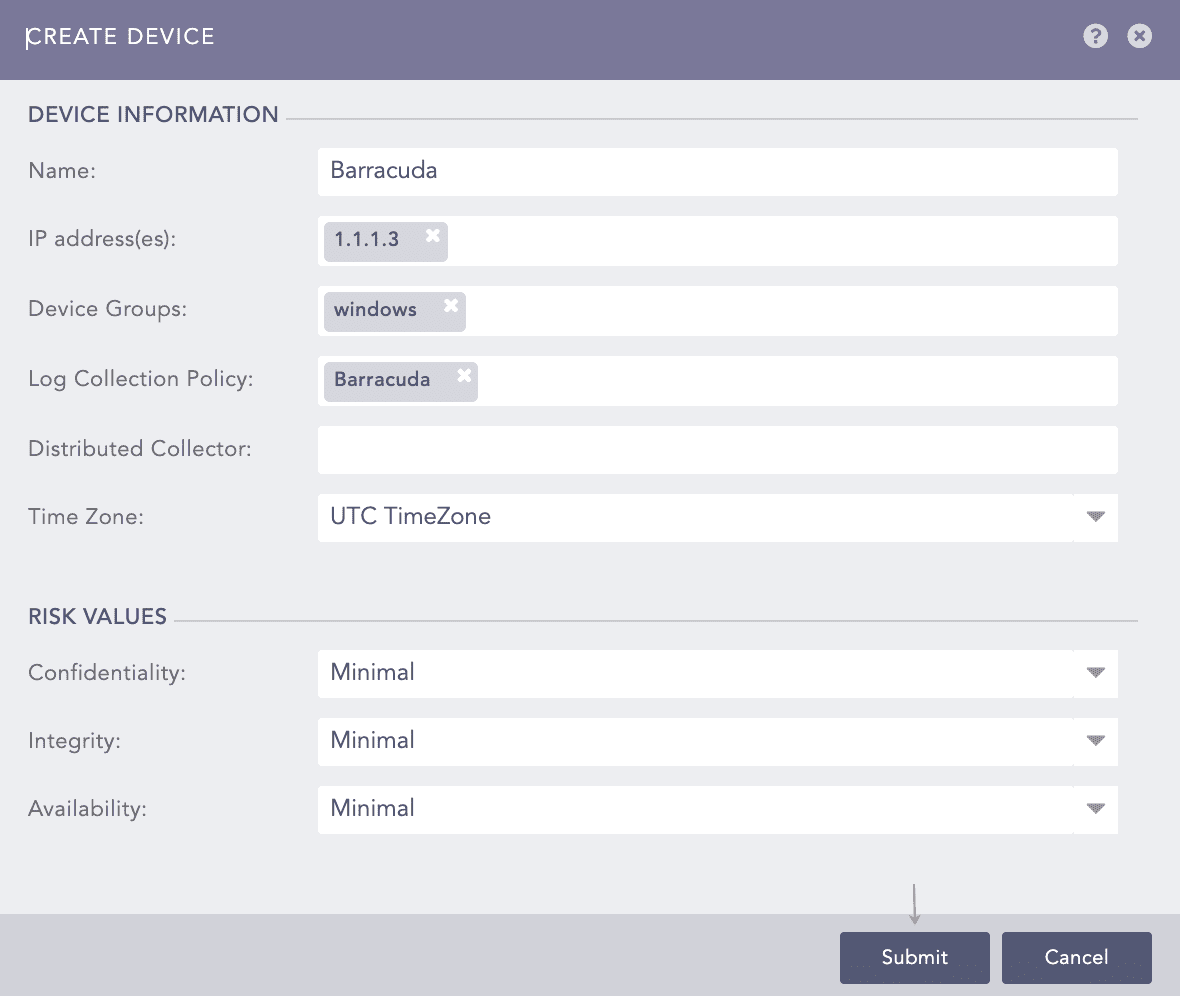
Adding Barracuda as a Device
Enter a device Name.
Enter the IP address(es) of the Barracuda server.
Select the Device Groups.
Select an appropriate Log Collection Policy for the logs.
Enter a collector or a forwarder in the Distributed Collector.
Note
It is optional to select the Device Groups, the Log Collection Policy, and the Distributed Collector.
Select a Time Zone.
Note
The timezone of the device must be the same as its log source.
Configure the Risk Values for Confidentiality, Integrity, and Availability used to calculate the risk levels of the alerts generated from the device.
Click Submit.
Click Syslog Collector on the Available Collectors Fetchers.
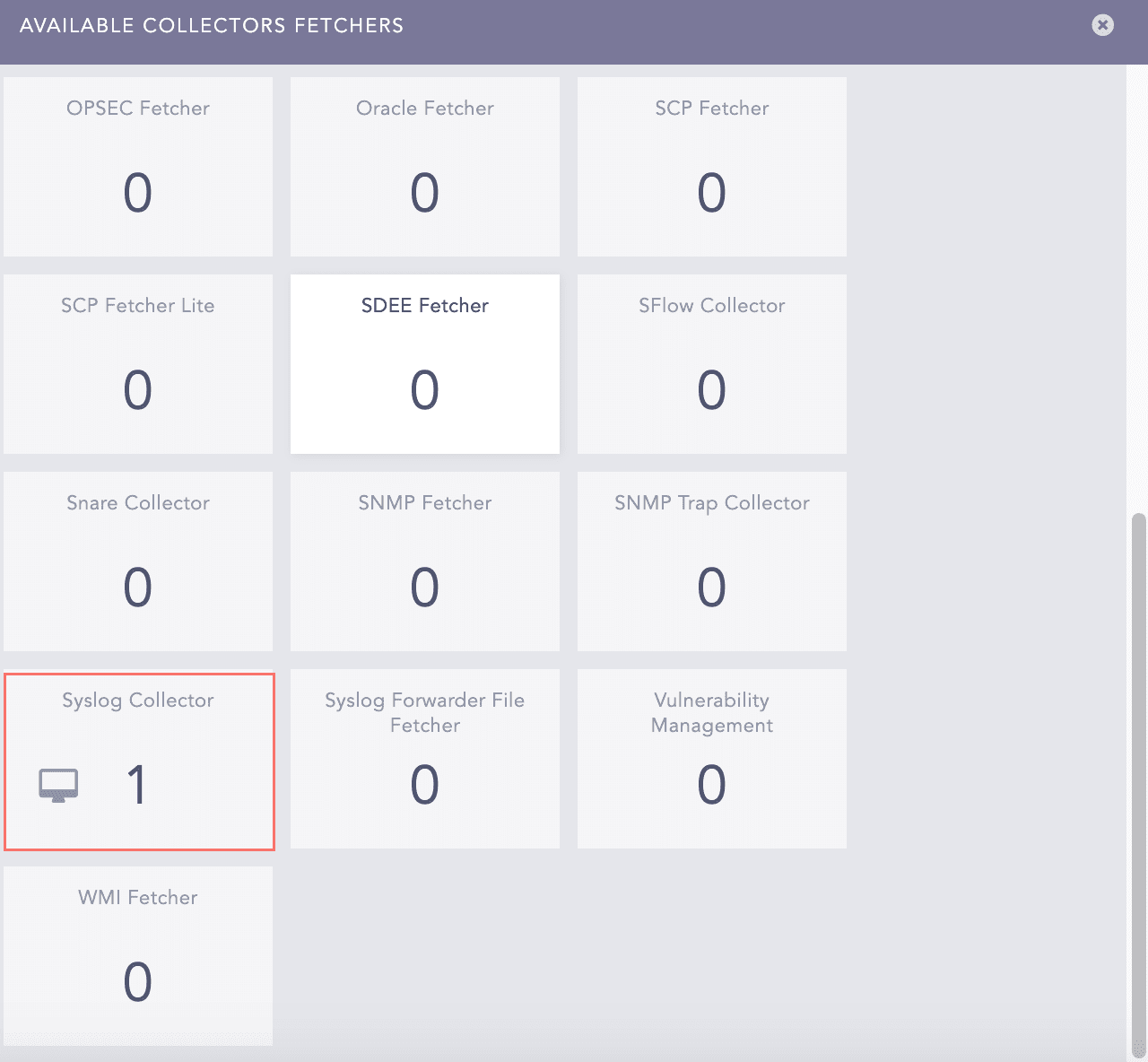
Available Collectors Fetchers Panel
Select the Syslog Parser.
Select the Processing Policy which contains the previously added normalization policy.
Select the Charset.
In PROXY SERVER, select None.
Click Submit.
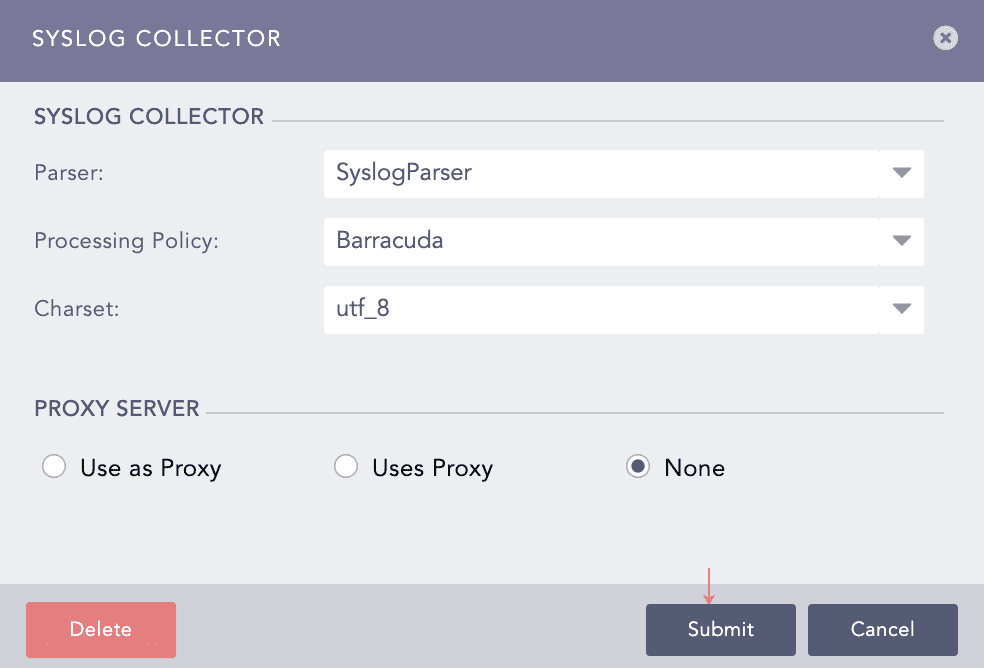
Configuring the Syslog Collector for Barracuda